Promoting your business on Snapchat has become one of the most effective ways to reach younger, highly engaged audiences. With over millions of daily active users and a strong presence among Gen Z and Millennials, Snapchat offers brands a unique opportunity to create immersive, visual-first campaigns. Among its advertising tools, Advanced Create stands out as the most powerful option for businesses that want full control over their campaigns.
This comprehensive guide explains how to promote on Snapchat with Advanced Create, covering everything from setup and ad formats to targeting strategies, optimization techniques, and expert insights.
Table of Contents
Introduction
Snapchat is no longer just a messaging app—it has evolved into a full-fledged advertising platform. Businesses can use it to drive awareness, engagement, leads, and conversions. Unlike simpler ad tools, Advanced Create gives advertisers granular control over campaigns, enabling precise targeting, flexible budgeting, and access to all ad formats.
According to Snapchat for Business official guide, Advanced Create allows advertisers to run multiple ad sets, choose detailed objectives, and optimize campaigns using tools like Snap Pixel for tracking performance.
What is Snapchat Advanced Create?
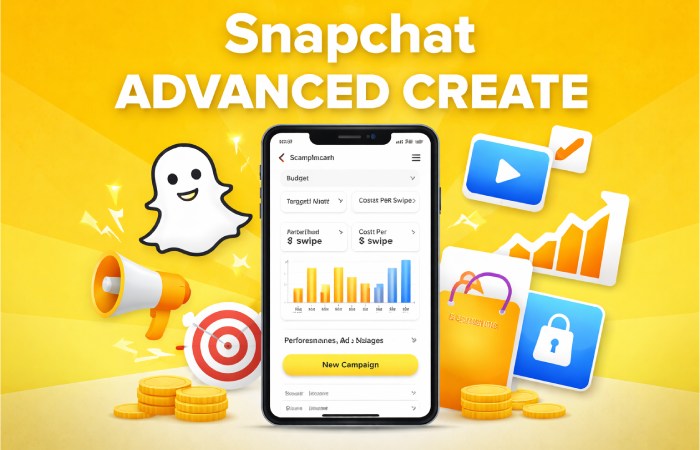
Advanced Create is a campaign creation workflow inside Snapchat Ads Manager that provides full customization for your advertising campaigns.
Unlike Instant Create (which is simplified), Advanced Create is designed for marketers who want deeper control over:
- Campaign objectives
- Audience targeting
- Budget allocation
- Ad placements
- Performance optimization
Key Features of Advanced Create
| Feature | Description |
|---|---|
| Multiple Ad Sets | Run different audience groups in one campaign |
| Full Targeting Control | Customize demographics, location, devices |
| Flexible Budgeting | Daily and lifetime budget settings |
| Advanced Tracking | Use Snap Pixel for conversion tracking |
| Access to All Ad Formats | Includes Snap Ads, Story Ads, AR lenses |
Why Promote on Snapchat?
Snapchat advertising is highly effective for brands targeting younger audiences and visual-first marketing strategies.
Benefits of Snapchat Advertising
| Benefit | Explanation |
|---|---|
| High Engagement | Users interact with content frequently |
| Full-Screen Ads | No distractions, higher attention |
| Creative Freedom | AR, filters, and video formats |
| Cost-Effective Reach | Lower CPM compared to competitors |
| Strong Mobile Focus | Optimized for smartphone users |
From real-world advertiser experiences on Reddit: However, advertisers also note that success depends on proper budget allocation and strong creatives.
Types of Ads You Can Create
Snapchat Advanced Create gives access to multiple ad formats, each suited for different goals.
Snapchat Ad Formats
| Ad Type | Description | Best Use Case |
|---|---|---|
| Snap Ads | Full-screen video or image ads | Traffic & conversions |
| Story Ads | Branded tiles in Discover section | Brand awareness |
| Collection Ads | Product showcase ads | E-commerce |
| Filters | Location-based overlays | Local promotions |
| AR Lenses | Interactive AR experiences | Engagement |
| Commercials | 6-second non-skippable ads | Awareness campaigns |
These formats help brands create immersive and interactive campaigns that stand out.
Step-by-Step: How to Promote Using Advanced Create
Step 1: Choose Your Campaign Objective
Your objective determines how Snapchat optimizes your campaign.
| Objective Type | Purpose |
|---|---|
| Awareness | Reach new audiences |
| Consideration | Drive traffic, app installs, engagement |
| Conversion | Generate sales or leads |
Each objective aligns with different stages of the customer journey.
Step 2: Set Up Your Campaign
In this step, you define your campaign structure.
| Setting | Description |
|---|---|
| Campaign Name | Internal identification |
| Budget | Daily or lifetime spend |
| Schedule | Start and end date |
| Status | Active or paused |
Proper budget planning is essential for campaign success.
Step 3: Build Ad Sets
Ad sets allow you to segment audiences and test strategies.
Targeting Options
| Targeting Type | Details |
|---|---|
| Location | Country, city, or custom radius |
| Demographics | Age, gender, language |
| Interests | User behaviors and preferences |
| Custom Audiences | Your own customer data |
| Lookalike Audiences | Similar users to your customers |
| Devices | OS, connection type |
Advanced Create allows multiple ad sets per campaign, enabling A/B testing and optimization.
Step 4: Choose Ad Placement
Placement determines where your ads appear.
| Placement Option | Description |
|---|---|
| Automatic Placement | Snapchat optimizes delivery |
| User Stories | Ads between user content |
| Discover Feed | Premium content placement |
| Shows & Games | Professional content |
Automatic placement is recommended for better reach and performance.
Step 5: Design Your Ads
Creative is the most critical factor in Snapchat success.
| Element | Best Practice |
|---|---|
| Video Format | Vertical (9:16 ratio) |
| Duration | 5–10 seconds |
| Headline | Clear and engaging |
| CTA | Strong call-to-action |
| Visual Style | Bright, fast-paced |
Snapchat recommends high-quality visuals (1080×1920) for best performance.
Step 6: Review and Publish
Before launching:
- Check targeting
- Verify budget
- Preview ads
- Activate campaign
Once approved, your ads go live.
Advanced Strategies for Better Results
To maximize performance, you need more than just setup—you need strategy. Businesses can strengthen their social media strategy by applying similar principles across different platforms. For example, this guide on how to grow a SaaS business with Instagram marketing explains how brands can use visual content, audience engagement, and targeted campaigns to attract potential customers.
Optimization Techniques
| Strategy | Benefit |
|---|---|
| Use Snap Pixel | Track conversions |
| Test Multiple Creatives | Find best-performing ads |
| Retarget Users | Re-engage interested users |
| Use Lookalike Audiences | Expand reach efficiently |
| Optimize for Mobile | Better user experience |
Real-World Insights from Advertisers
Community discussions highlight practical realities:
What Works
- Visual products (fashion, beauty, food)
- Younger audience targeting
- Strong video creatives
Brands can also expand their reach by collaborating with creators who already have an engaged audience. A well-planned influencer marketing strategy can complement Snapchat advertising by introducing products to relevant communities through authentic recommendations and creative content.
Challenges
- Limited analytics
- Broad targeting early on
- Requires sufficient budget
Advanced Create vs Instant Create
| Feature | Advanced Create | Instant Create |
|---|---|---|
| Control Level | High | Low |
| Setup Time | Longer | Quick |
| Targeting | Detailed | Basic |
| Best For | Professionals | Beginners |
Advanced Create is ideal for scaling campaigns and achieving better ROI.
Common Mistakes to Avoid
| Mistake | Impact |
|---|---|
| Weak Creative | Low engagement |
| Over-targeting | Limited reach |
| Low Budget | Poor optimization |
| Ignoring Data | Missed improvements |
| No Testing | Inefficient campaigns |
Tips for Success in 2026
- Focus on short-form video content
- Use AR and interactive formats
- Prioritize mobile-first design
- Combine organic + paid strategies
- Businesses can apply this combined approach across multiple social platforms to maintain consistent brand visibility. These Instagram promotion strategies offer additional ideas for combining engaging content with paid campaigns to reach relevant audiences and encourage interaction.
- Continuously analyze and optimize
Conclusion
Promoting on Snapchat using Advanced Create gives businesses unmatched control and flexibility in their advertising campaigns. From selecting precise objectives to designing engaging creatives and optimizing performance, this tool empowers marketers to achieve real, measurable results.
While it requires more effort than simpler tools, the payoff is significantly higher when executed correctly. With the right strategy, budget, and creative approach, Snapchat can become a powerful channel for brand growth, engagement, and conversions.